A follow-up to No User Left Behind: Making UX More Accessible
In 2023, Olive Price wrote about why accessibility matters and laid the groundwork: semantic HTML, heading hierarchy, alt text, keyboard basics, and color contrast. This post expands on that foundation and updates what has changed since then.
It covers the standard those practices come from, including the current WCAG 2.2; how to audit your own site with tools and testing; and the body of law that now enforces accessibility.
The Standard Under Everything
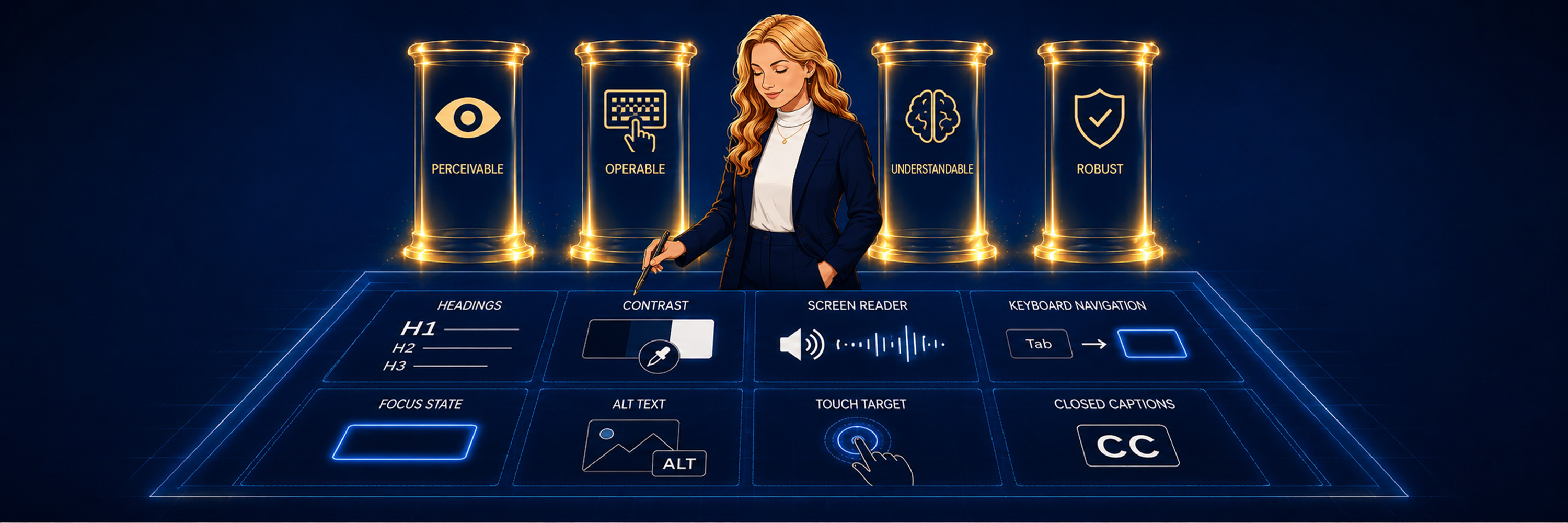
Almost everything in No User Left Behind traces back to one document: the Web Content Accessibility Guidelines, or WCAG, written by the W3C's Web Accessibility Initiative. It's built on four principles, easy to remember as POUR: content should be perceivable, operable, understandable, and robust. Every rule in the standard falls under one of those four.
Under each principle sit guidelines, and under those sit testable success criteria. In digital accessibility, A, AA, and AAA refer to the conformance tiers of WCAG. They establish how well a website or app accommodates users with disabilities. Level A is the baseline, Level AA is the conformance target most commonly referenced by accessibility laws, policies, and procurement requirements, and Level AAA is the highest and most stringent.
WCAG 2.2 was designed to be backward-compatible with WCAG 2.1 and 2.0, although organizations formally reporting against an earlier version may still need to account for that version's specific requirements. It's also deliberately technology-agnostic. It specifies that a heading must exist, not how to code one, which is why the same standard can govern HTML, native mobile apps, PDFs, kiosks, and social media posts alike.
What Changed with WCAG 2.2
When No User Left Behind was published in late 2023, WCAG 2.2 had only just landed. It became the official W3C standard in October of that year, roughly a month before the post went up, and it hadn't yet worked its way into how most teams actually build. It's the current version now, so here's what changed. While 2.1 at Level AA is still the benchmark nearly every law names, 2.2 points to where accessible practice is heading.
WCAG 2.0 arrived in 2008 with 61 success criteria and set the foundation. Ten years later, 2.1 added 17 more, aimed at cognitive disabilities, low vision, and mobile use. Version 2.2 continued in that direction, adding nine criteria and retiring one. The old 4.1.1 Parsing requirement was dropped because modern browsers and assistive technologies now handle malformed markup reliably on their own, so the check is no longer needed. Here are all nine additions.
| Criterion | Level | What it requires |
|---|---|---|
| 2.4.11 Focus Not Obscured (Minimum) | AA | A focused element is not entirely hidden behind something like a sticky header or a cookie banner. |
| 2.4.12 Focus Not Obscured (Enhanced) | AAA | No part of a focused element is hidden at all. |
| 2.4.13 Focus Appearance | AAA | The focus indicator covers an area at least as large as a 2 CSS pixel thick perimeter of the element, with a contrast ratio of at least 3:1 between the focused and unfocused states. |
| 2.5.7 Dragging Movements | AA | A single-pointer alternative to most author-created drag interactions. |
| 2.5.8 Target Size (Minimum) | AA | Interactive targets are at least 24 by 24 CSS pixels, or spaced far enough apart that a 24 pixel circle centered on each does not overlap its neighbors. |
| 3.2.6 Consistent Help | A | Help options like a contact link, chat, or phone number stay in the same relative place from page to page, so someone who needs support does not have to hunt for it each time. |
| 3.3.7 Redundant Entry | A | A form does not ask again for information you already gave earlier in the same process, unless re-entering it is essential. |
| 3.3.8 Accessible Authentication (Minimum) | AA | No login hinges on a cognitive test, like transcribing a code or solving a puzzle, unless an alternative such as a password manager or copy-paste is available. |
| 3.3.9 Accessible Authentication (Enhanced) | AAA | The same, without the object-recognition and personal-content exceptions the Minimum version allows. |
Three of them concern keyboard focus, two concern pointer input, one concerns predictability, and three concern input and authentication. Four of them are worth getting specific about.
Focus Appearance is the one teams trip over when they restyle. When you customize a focus indicator or its surrounding background, the resulting indicator must still provide sufficient area and contrast; a solid two-pixel outline is often the simplest way to meet the requirement.
Target Size catches more designs than you would expect. A 16-pixel icon button may now fail unless it has sufficient spacing or qualifies for another exception.
Dragging Movements reaches every drag interaction you built yourself. Drag-to-reorder lists, range sliders, and custom carousels each need a non-drag path for people who cannot hold a steady drag with a mouse, trackpad, or touchscreen.
Accessible Authentication is the one most likely to sit in a flow you consider finished. A login that depends on transcribing a code or solving a puzzle needs an alternative, and the Enhanced level removes even the object-recognition and personal-content exceptions that the Minimum level allows.
On the horizon, WCAG 3.0 is still an incomplete draft. It's expected to bring a broader scope, a different structure, and a new conformance model, though the details may change substantially before it lands. Nothing to build against yet, but worth watching.
What Tools Can and Can't Catch
It would be convenient if a browser extension could tell you whether your site is accessible. None fully can, and the reason is people.
Automated checkers are still where you start. They flag obvious errors in seconds and mark them right on the page, and most of them are free.
| Tool | What it is | Best for |
|---|---|---|
| axe DevTools | Browser extension built on the axe-core rule engine | Everyday checks, with very few false positives |
| WAVE | WebAIM's extension and online checker | Seeing errors annotated directly on the rendered page |
| Lighthouse | Built into Chrome DevTools, running axe-core underneath | A scored snapshot alongside performance and SEO |
| Accessibility Insights | Microsoft's extension, with a guided manual assessment | Walking the checks a scanner cannot automate |
When a checker flags something and you are not sure what the rule actually demands, the W3C's How to Meet WCAG: Quick Reference is where to look it up. It lists every success criterion with its sufficient techniques and common failures, and it filters by version and conformance level, so you can narrow it to the 2.2 Level AA rows that most laws point at.
What these tools read is structure, and structure is only part of it. A checker can tell you an image has no alt attribute, but not whether the alt text you wrote actually describes the image. It can confirm a <button> element exists, but not that it announces itself clearly to a screen reader. Automated testing can reliably catch some WCAG issues, but the rest comes down to human judgment.
The nine new criteria split along exactly that line. A scanner can measure whether a target is 24 by 24 CSS pixels and whether a focus indicator carries enough contrast. It cannot tell you that your sticky header swallows the focused element halfway down the page, that your help link moved on the checkout screen, or that your login is unusable for someone who cannot transcribe a code. Those you find by walking the page yourself.
So this is where you come in. Do the checks a tool can't. Tab through the whole page without a mouse and watch for anything you cannot reach, or cannot get back out of once you land on it. Turn on a screen reader and listen, the way the No User Left Behind post walked through with VoiceOver. VoiceOver ships with macOS and iOS, NVDA is free on Windows, and TalkBack is built into Android, so nothing stands between you and hearing your own site. These two passes catch much of what an automated scan misses.
Then test with real users who have disabilities. Nothing substitutes for watching someone who depends on a screen reader, or navigates by keyboard, or struggles with small targets, actually use your site. These sessions often surface usability problems that were slowing everyone down, not just people with disabilities.
Who Actually Has to Comply
No User Left Behind made the moral case. What it left out is that across a growing share of the world, accessibility is now a legal requirement.
The foundation is the UN Convention on the Rights of Persons with Disabilities, adopted in 2006 and now ratified by more than 180 countries. Its Article 9 names access to information and communications as a right, which makes it the document most often cited in digital accessibility law.
Which rules apply to you depends on what your organization does and where it operates. Many accessibility laws, regulations, and procurement policies use WCAG Level AA as their technical foundation, although the required version, covered content, exceptions, and deadlines vary.
In the United States, ADA Title III covers private businesses open to the public and requires equal access to their goods and services. Title III does not currently prescribe a specific web accessibility standard, although DOJ enforcement and many settlements use WCAG as an accessibility benchmark. Accessibility complaints and lawsuits involving websites remain a significant risk, and resolving them can involve remediation costs, settlements, and attorneys' fees.
ADA Title II applies the same expectation to state and local government, including public schools and universities, which must make their websites and apps meet WCAG 2.1 AA. Under the DOJ's 2024 rule, governments serving a population of 50,000 or more must comply by April 26, 2027, and smaller entities and special districts by April 26, 2028.
The federal government answers to the Rehabilitation Act. Section 508 requires federal agencies to make their information and communication technology accessible and formally incorporates WCAG 2.0 Level A and AA. Section 504 extends disability nondiscrimination obligations to organizations receiving federal funding, although its specific technical requirements can depend on the agency administering that funding. For example, the U.S. Department of Health and Human Services (HHS) rule requires covered recipients to meet WCAG 2.1 AA.
Europe reaches further into the private sector. Since June 28, 2025, the European Accessibility Act has required key consumer products and services, including e-commerce, banking, e-books, and ticketing, to meet accessibility standards across all EU member states. It applies to businesses placing covered products or providing covered services in the European market, whether or not those businesses are based in the EU. Microenterprises providing services are exempt, and other limited exceptions may apply.
You Might Be Thinking…
"Our automated checker comes back clean, so we're compliant."
This is the most expensive assumption a team can make. A clean scan means the machine-detectable errors are gone, but those are only part of what WCAG asks for. The scanner never opened your login flow with a screen reader, never tried to reach your menu without a mouse, never checked whether your alt text actually describes anything. Sites that pass automated tools can still lose accessibility lawsuits, because the people who file them are trying to check out, or book, or apply, and cannot. A clean scan is where the work starts, not where it ends.
"How do we know if we're at risk?"
Start with three questions. Where are your users, what do they come to do, and can they do it using only a keyboard or a screen reader? If you serve U.S. customers, ADA Title III may require the goods and services your business offers online to be accessible. If you sell into Europe, the European Accessibility Act reaches you directly. If you work in government, education, or healthcare, or hold public contracts, you carry more exposure than most.
Walk your checkout, your login, your booking or application flow keyboard only and then with a screen reader, and watch for the step where a real person would give up. That step is your exposure, because it is exactly where a legal complaint begins. The other early warning is your inbox: complaints and demand letters are how most organizations first learn they have a problem, and by then the fix costs more.
So the honest answer is that you find out by looking. Inventory every digital product you own, run the manual checks on your key user flows, and test with people who have disabilities.
One more step worth taking is publishing an accessibility statement: a page describing how accessible your site is, which standard you aim for, and how someone can report a problem. It signals good faith, gives users a direct line to you instead of to a lawyer, and the process of writing one forces you to actually assess where you stand. The W3C provides a free tool for generating one at w3.org/WAI/planning/statements.
"Won't accessibility make the product slower to build?"
A little at first, and less than you would expect. Most of the cost disappears when you reach for the right element from the start. A real <button> is already focusable, keyboard-operable, and named for a screen reader, while a <div> styled to look like a button makes you add all three yourself in JavaScript. Semantic HTML, labeled forms, and a sensible heading order are faster to write than the custom code teams build to work around them.
The real expense comes from treating accessibility as a final step, something you check after the product is "done." Retrofitting a launched site means unwinding decisions and rebuilding components, often under the pressure of a legal complaint. Built in from the start, accessibility is just part of normal development. Added at the end, it becomes its own project.
Accessibility Was Always Good Engineering
Step back from the standards, the laws, and the tooling, and they all describe the same thing: building good applications. Semantic markup, a real heading structure, and controls you can operate without a mouse are what careful, well-written code looks like anyway. No User Left Behind made the case for accessibility as the right thing to do. This post added that it is also the required thing.
A site that anyone can perceive, operate, understand, and rely on is simply a well-made site. Build to the standard, meet the law, and test with the people it was written for.
Where to Learn More
These W3C resources provide more information about WCAG, its success criteria, and the changes introduced in WCAG 2.2: